
Gaming Room Ideas for Sri Lankan Homes: 10 Setups and 5 Accessory Upgrades
· මිනිත්තු 7 ක කියවීම
මෙම ලිපිය තවමත් සිංහල භාෂාවෙන් නොමැත. ඔබ කියවන්නේ ඉංග්රීසි මුල් පිටපතයි.
A great gaming room is about more than bright lights and a powerful computer. The best setup fits the space, supports comfortable play and still feels like part of your home. In a Sri Lankan bedroom or apartment, that often means planning around room size, daylight, warm weather, shared use and the number of sockets available.
Use these ten distinct room looks as inspiration, then choose a few practical accessory upgrades that suit your routine. You do not need to copy a whole setup; one thoughtful change to the desk, lighting or storage can make a room feel more personal.
10 gaming room looks to inspire your setup
1. Make a statement with violet and blue RGB
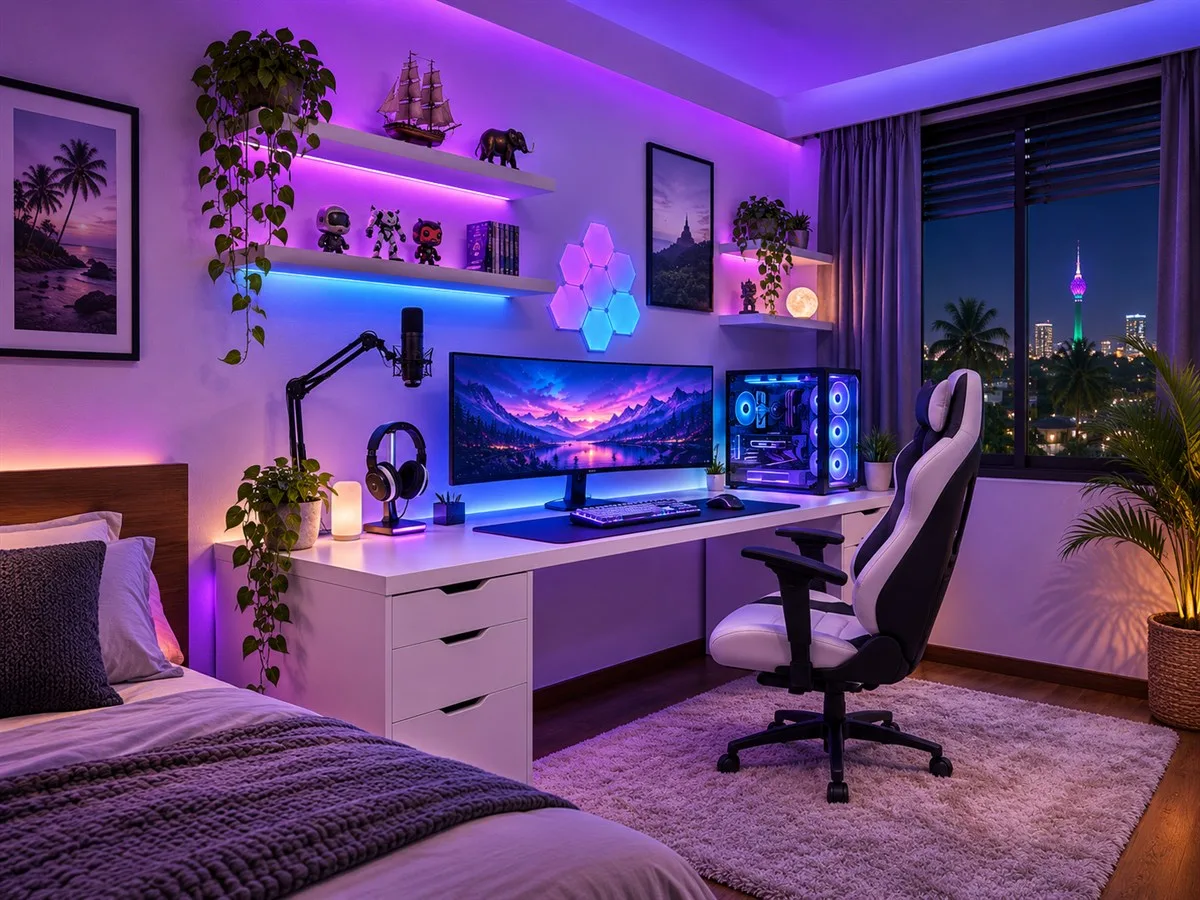
For an immersive gaming-bedroom look, combine violet and blue light at a few different heights: behind the monitor, along a shelf and in the PC case. Keep a separate warm room light for everyday use, and choose adjustable lighting so the room can shift from gaming to relaxing without a full-color glow.
2. Keep it light and minimal
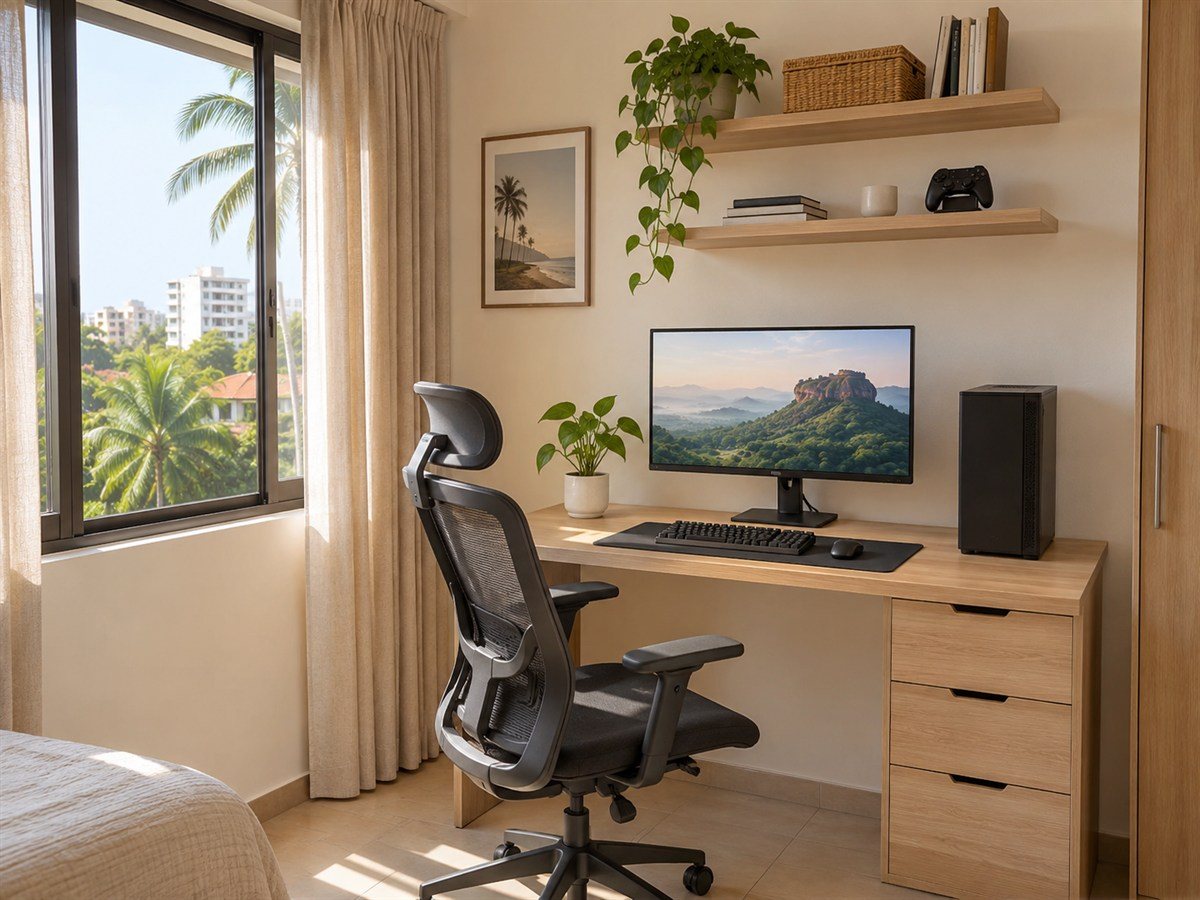
A pale oak desk, one good monitor and a small number of accessories can make a gaming nook blend into a bedroom or study. Natural daylight keeps the space useful during the day; add a curtain or blind to manage glare when the sun falls directly on the screen. Closed drawers help keep the desktop clear.
3. Create a warm, cinematic studio
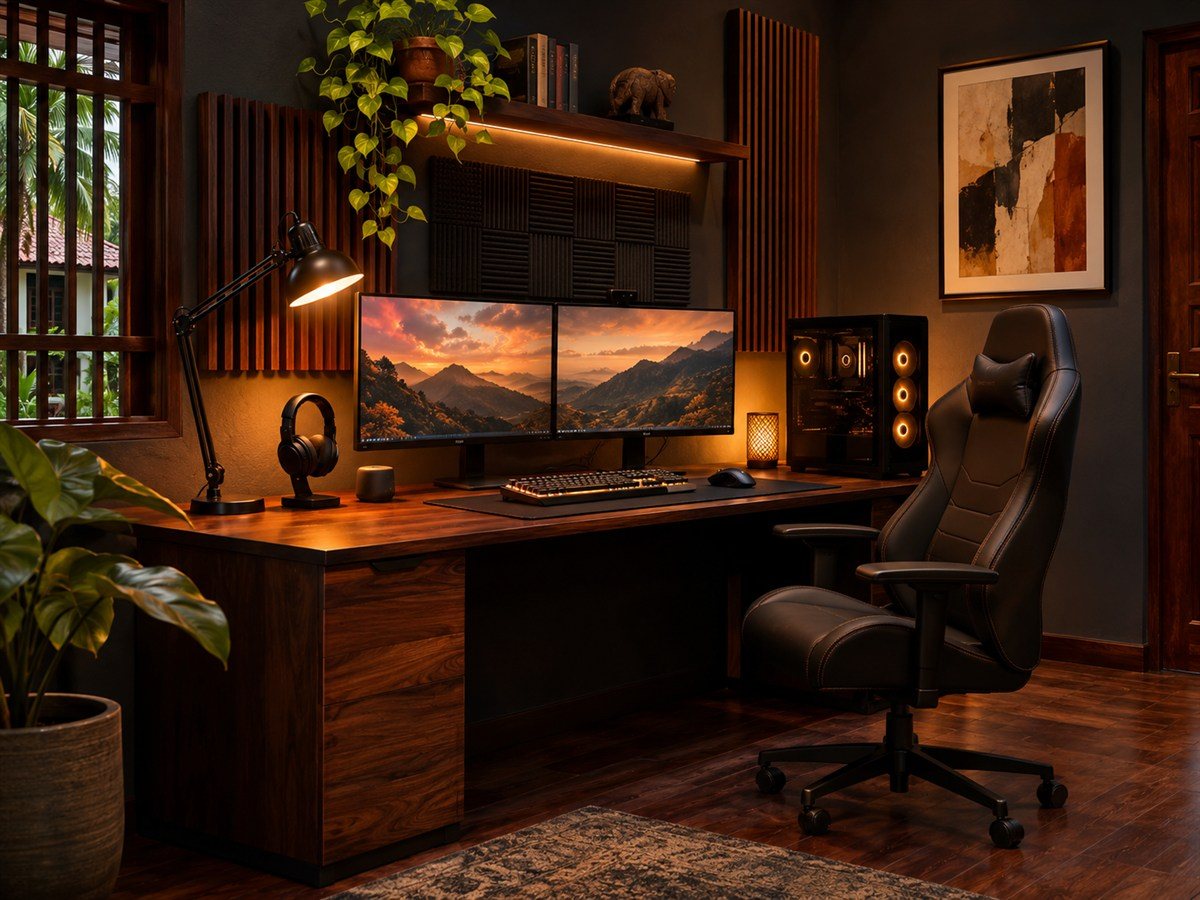
Dark wood, charcoal surfaces and amber task lighting create a more atmospheric room without relying on bright RGB. Use a desk lamp to light the work surface and keep the rest of the room softly illuminated. A few acoustic panels can add texture, but leave enough wall space for ventilation and easy cleaning.
4. Fit the desk into a bedroom corner
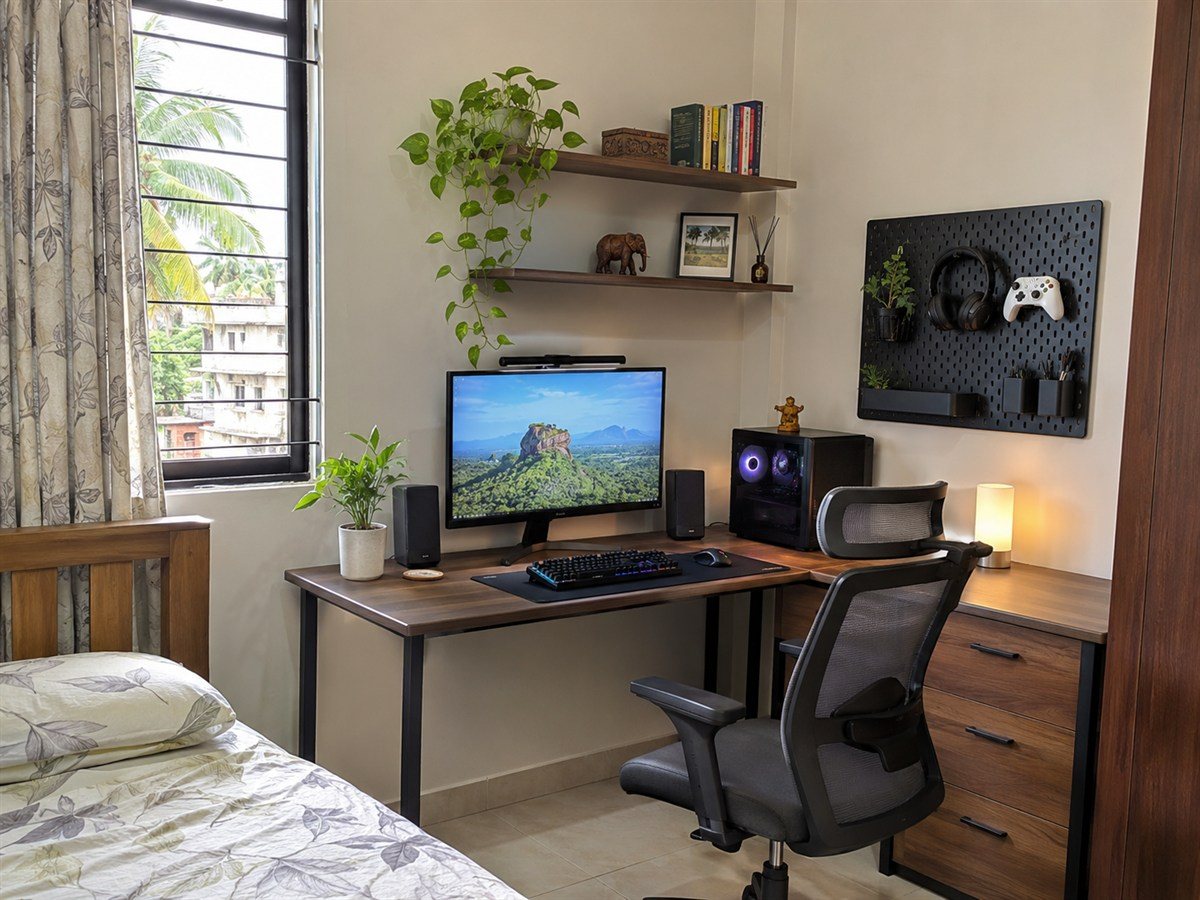
An L-shaped desk can use a corner that might otherwise be difficult to furnish. Measure both walls, the chair’s pull-back space and the bedroom door swing before buying. A pegboard or narrow shelf above the desk can hold lightweight items while keeping the floor and main path open.
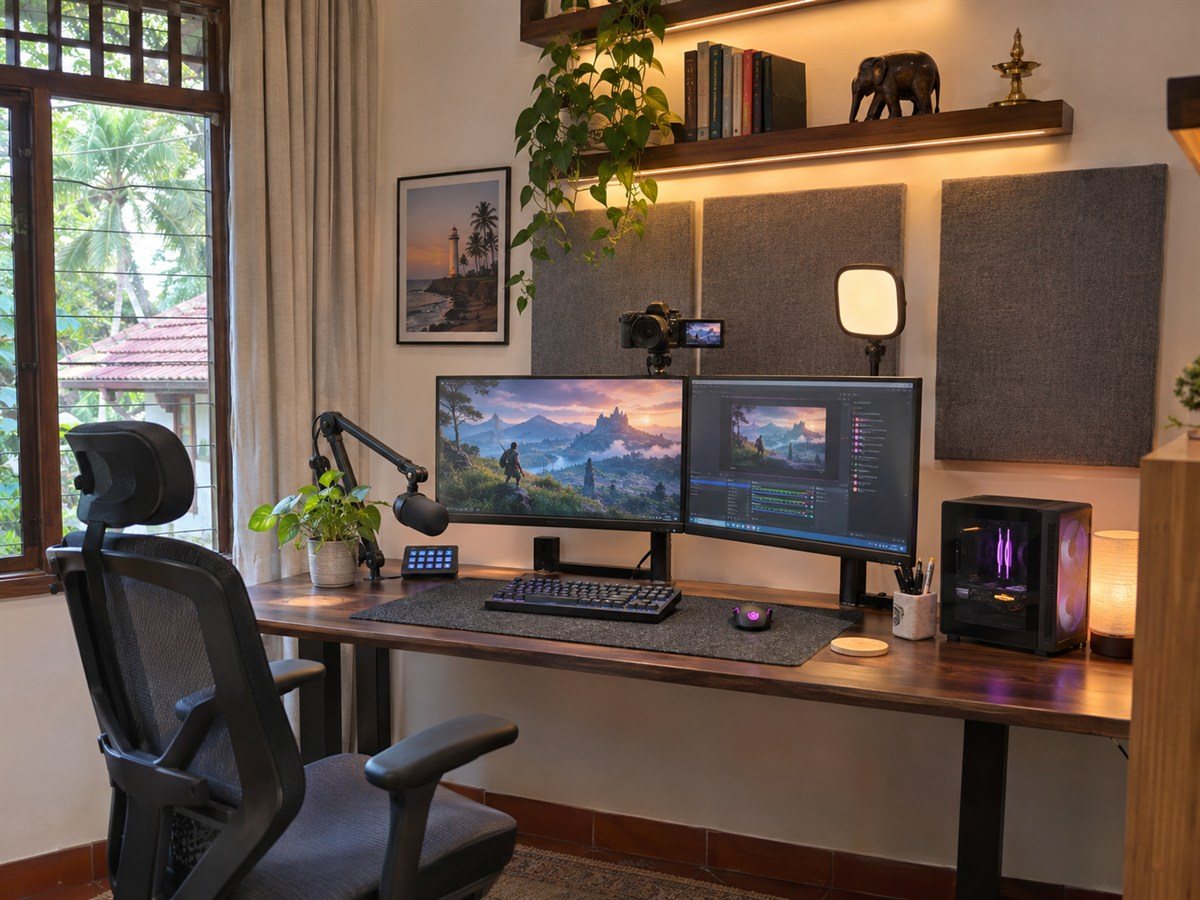
5. Set up a dual-screen streaming station
Two monitors can separate a game from chat, recording controls or reference material. Position the primary screen directly in front of the chair and keep a microphone arm clear of the keyboard and display. Plan camera placement and light direction before fixing shelves or wall panels in place.
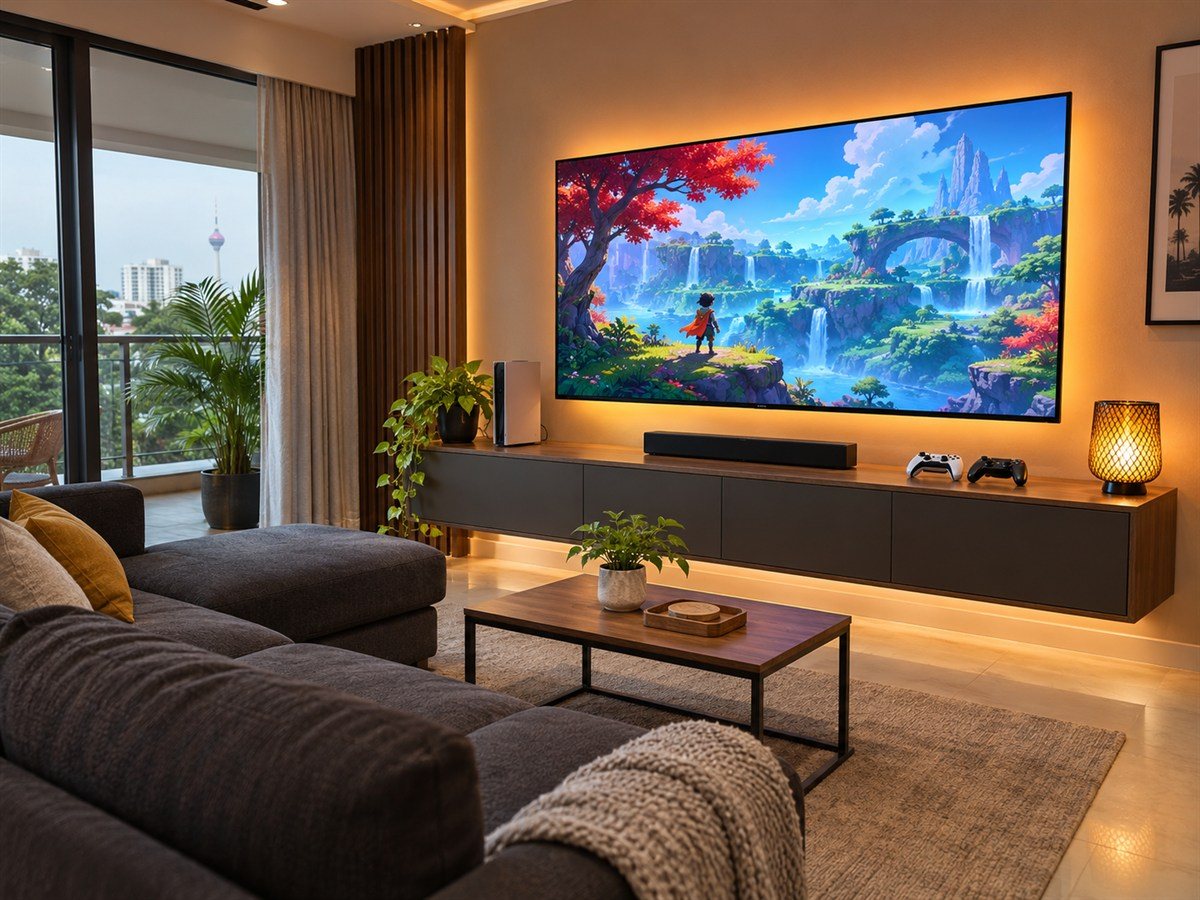
6. Turn the living room into a console lounge
A console setup can feel integrated with the living room rather than like a separate workstation. Use a low cabinet for controllers and accessories, leave the TV screen at a comfortable viewing height, and make sure devices have the ventilation clearance their manuals require. A storage basket can gather cables and spare accessories between sessions.
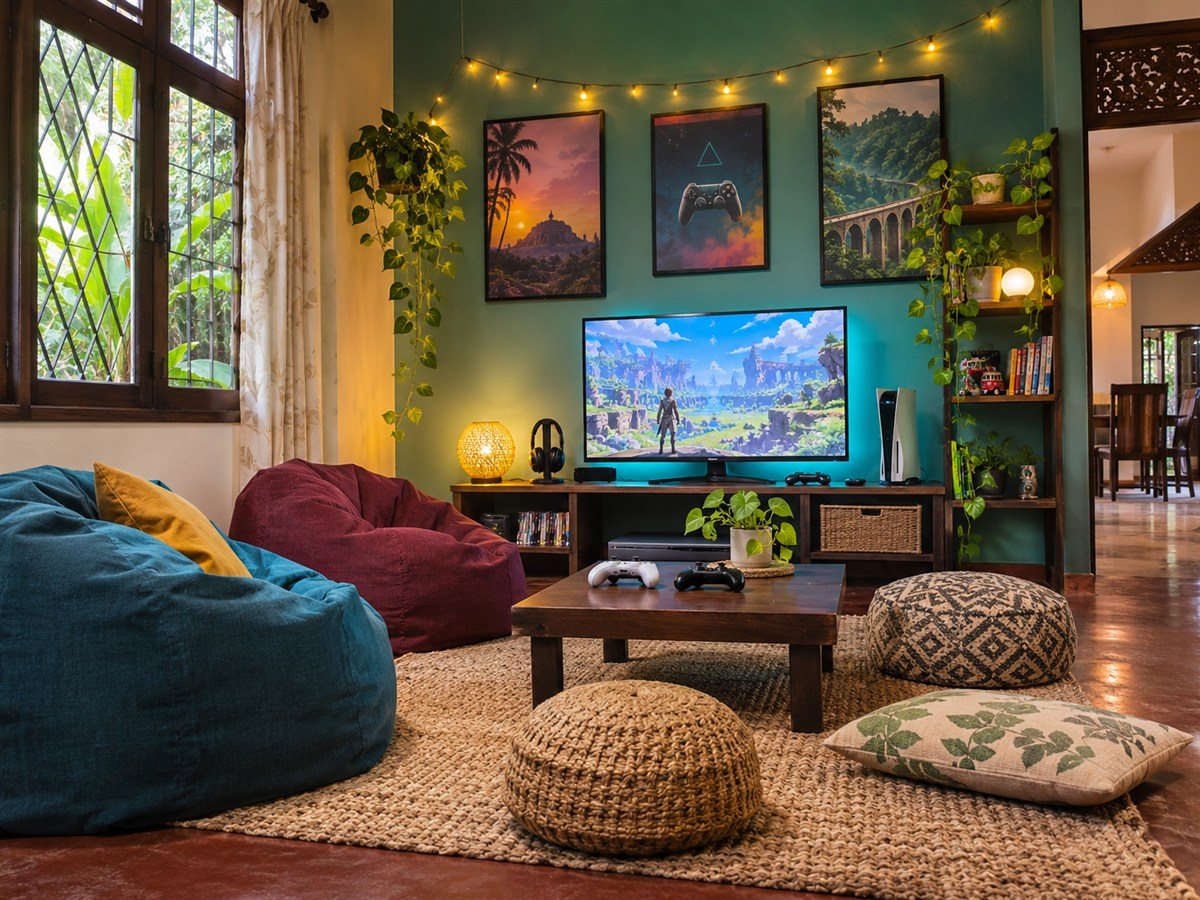
7. Choose a relaxed floor-lounge setup
Beanbags, floor cushions or a pouf create flexible seating for casual games and movie nights. Pair them with a low table and keep controllers within reach. Choose washable covers and leave a clear route through the room, especially when the space is also used by family members.
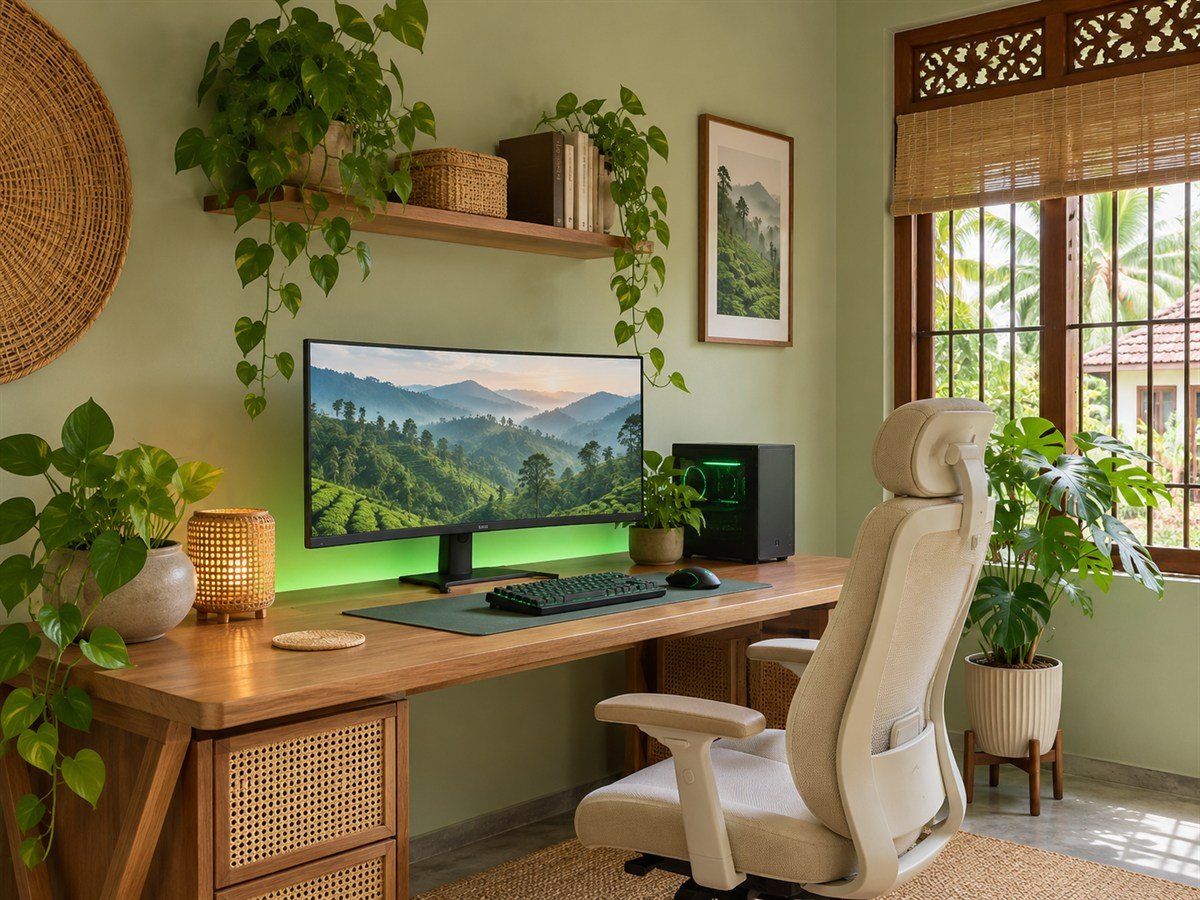
8. Bring in plants and natural textures
A gaming room can feel calmer with a sage or muted green wall, timber furniture and a few indoor plants. Keep plants away from electronics and choose placements that do not drip onto equipment when watered. Cane, woven baskets and a textured rug add warmth without adding more visual clutter.
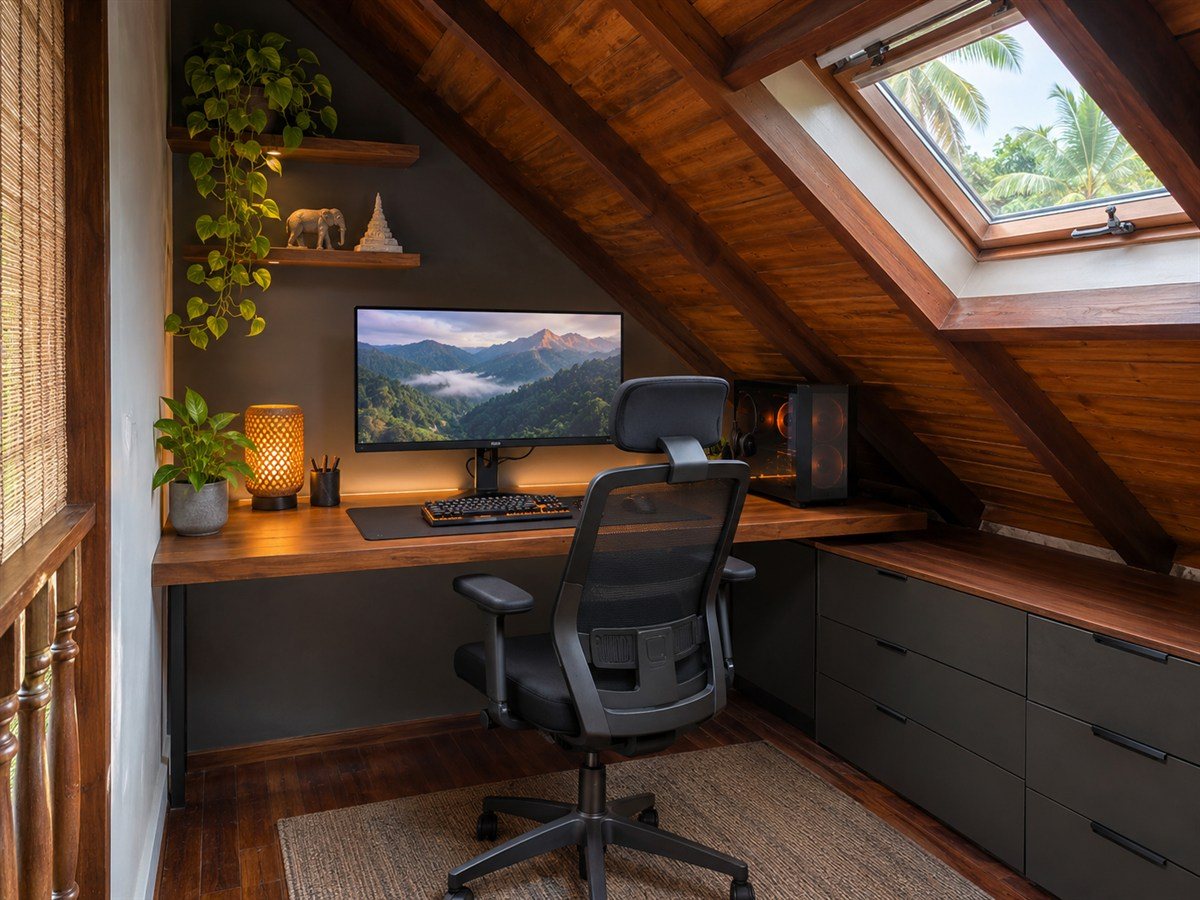
9. Make an attic nook work harder
A sloped ceiling can suit a desk or low storage, provided there is enough headroom to sit and stand comfortably. Place the monitor where reflections from a roof window are limited, and check that the room stays ventilated during warm afternoons. Low drawers can use the eaves without blocking movement.
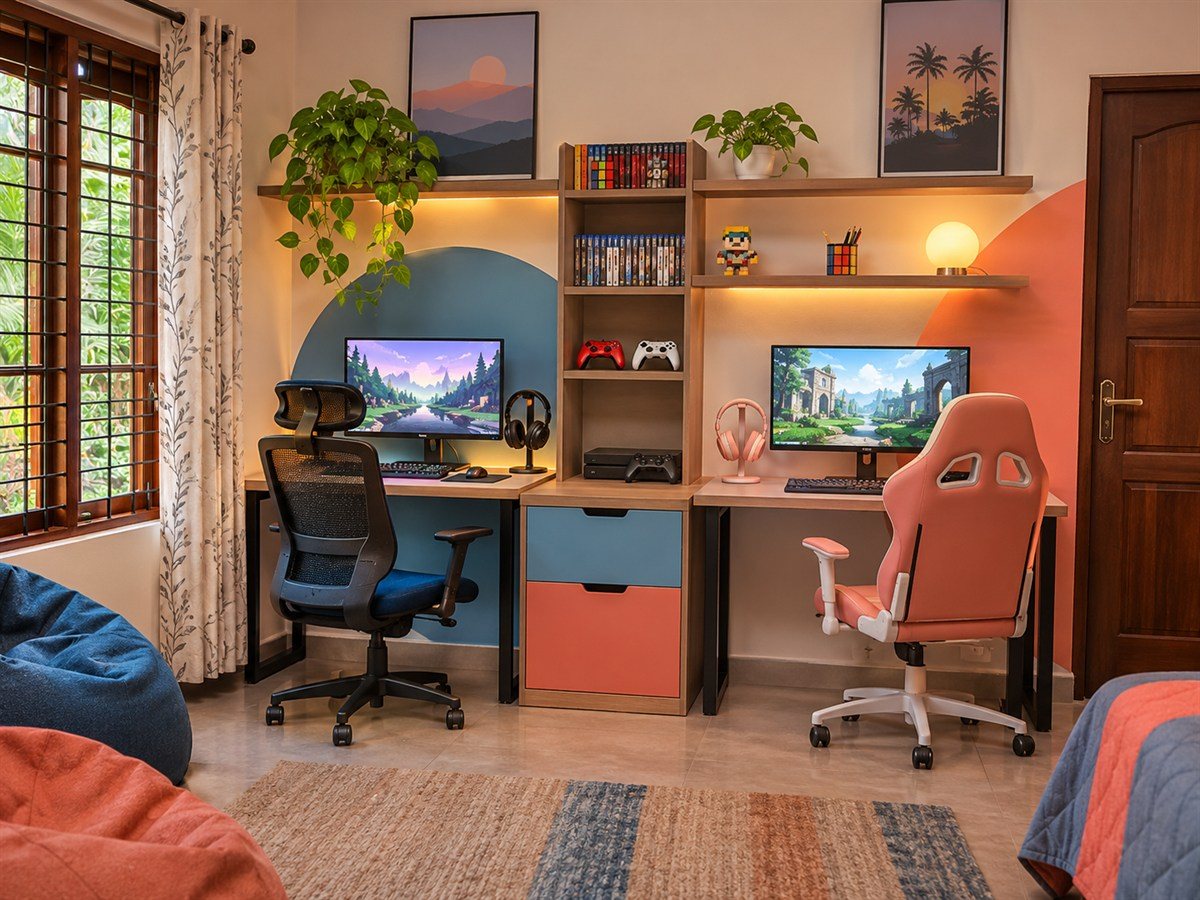
10. Divide a shared gaming room into zones
For siblings or housemates, give each player a defined desk area and storage space. Separate monitors reduce distractions, while a shared shelf can hold items used by everyone. Agree on lighting and sound levels so one person's gaming session does not take over the whole room.
5 accessory upgrades that finish the room
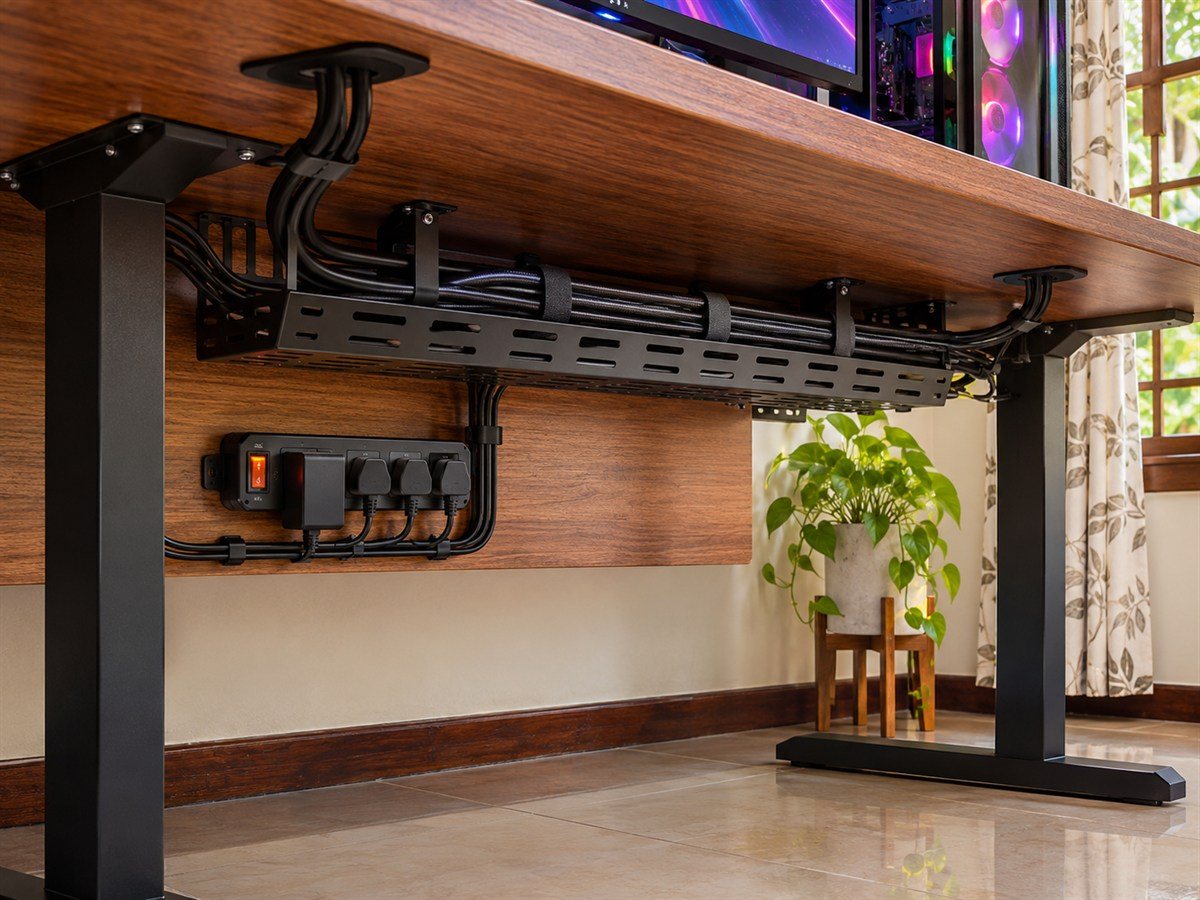
11. Tidy cables under the desk
A cable tray, reusable ties and a mounted power strip can keep wires off the floor and easier to trace. Leave slack for adjustable desks and avoid overloading outlets or extension boards. Keep power connections dry, accessible and arranged according to the manufacturers’ safety instructions.
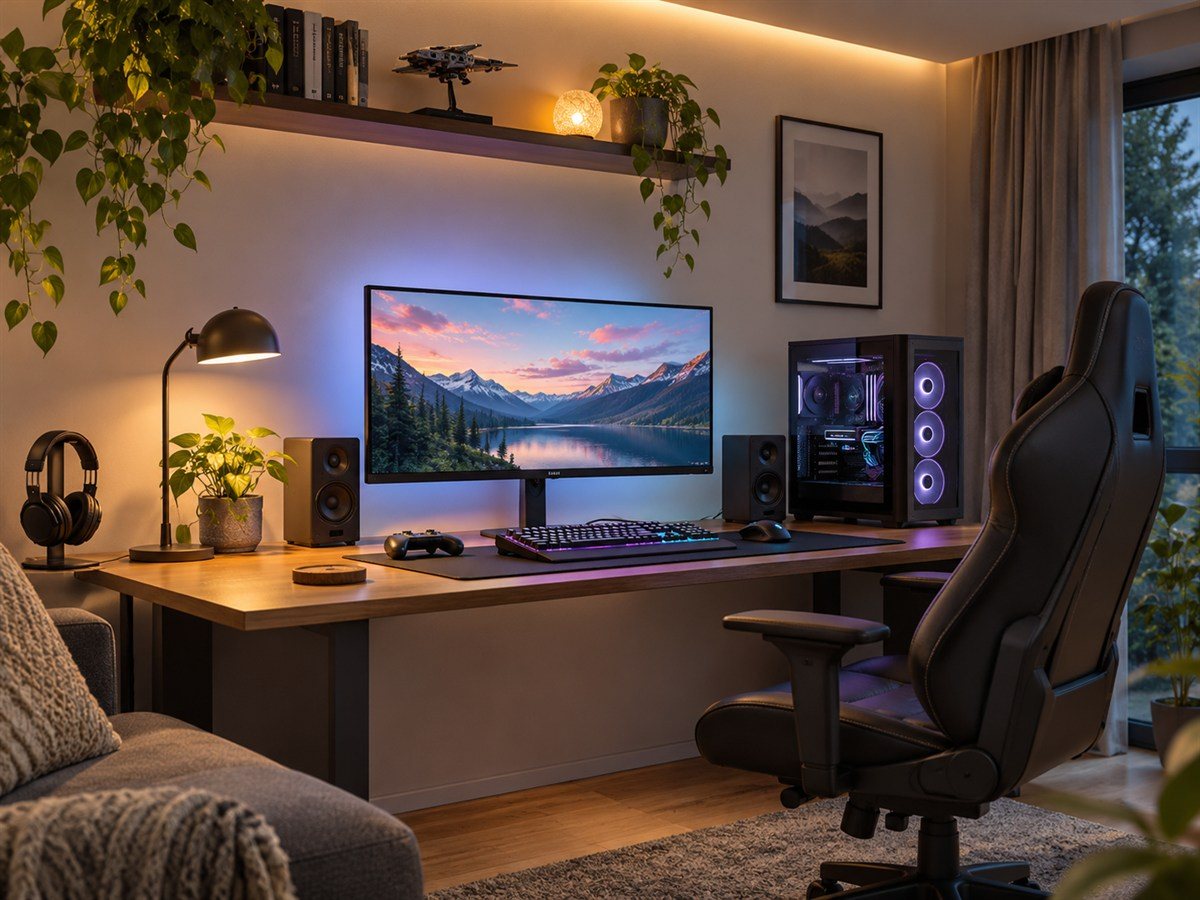
12. Layer ambient and task lighting
Combine a desk lamp for focused tasks with soft bias lighting behind the monitor. Indirect light can add depth and reduce the stark contrast of a bright screen against a dark room. Use dimmers or adjustable color settings and keep light sources out of the direct line of sight.
13. Give gaming gear a dedicated display
A narrow shelf or pegboard can organize controllers, headphones and game cases while freeing desk space. Keep heavier equipment on a sturdy surface and secure wall-mounted storage with fixings suited to the wall. Leave some open space so the display feels curated rather than crowded.
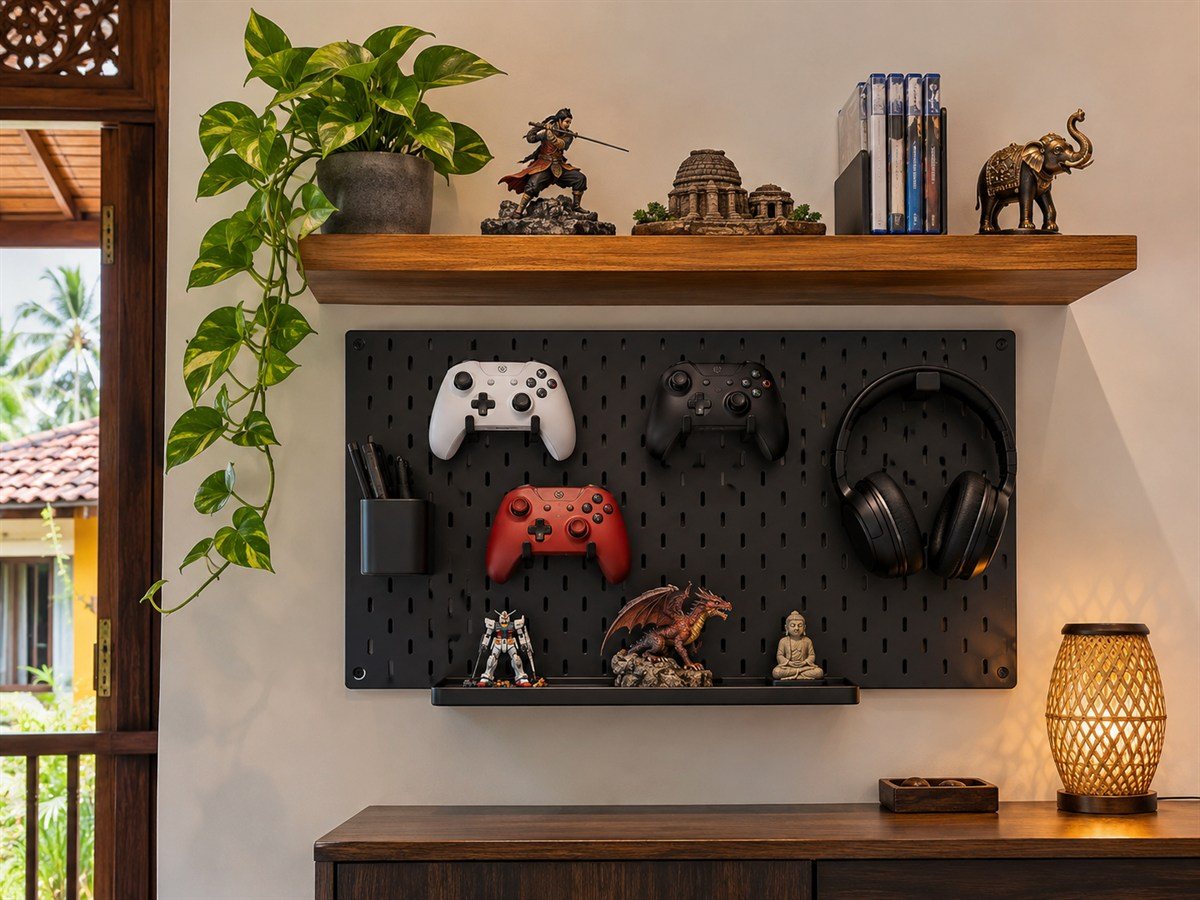
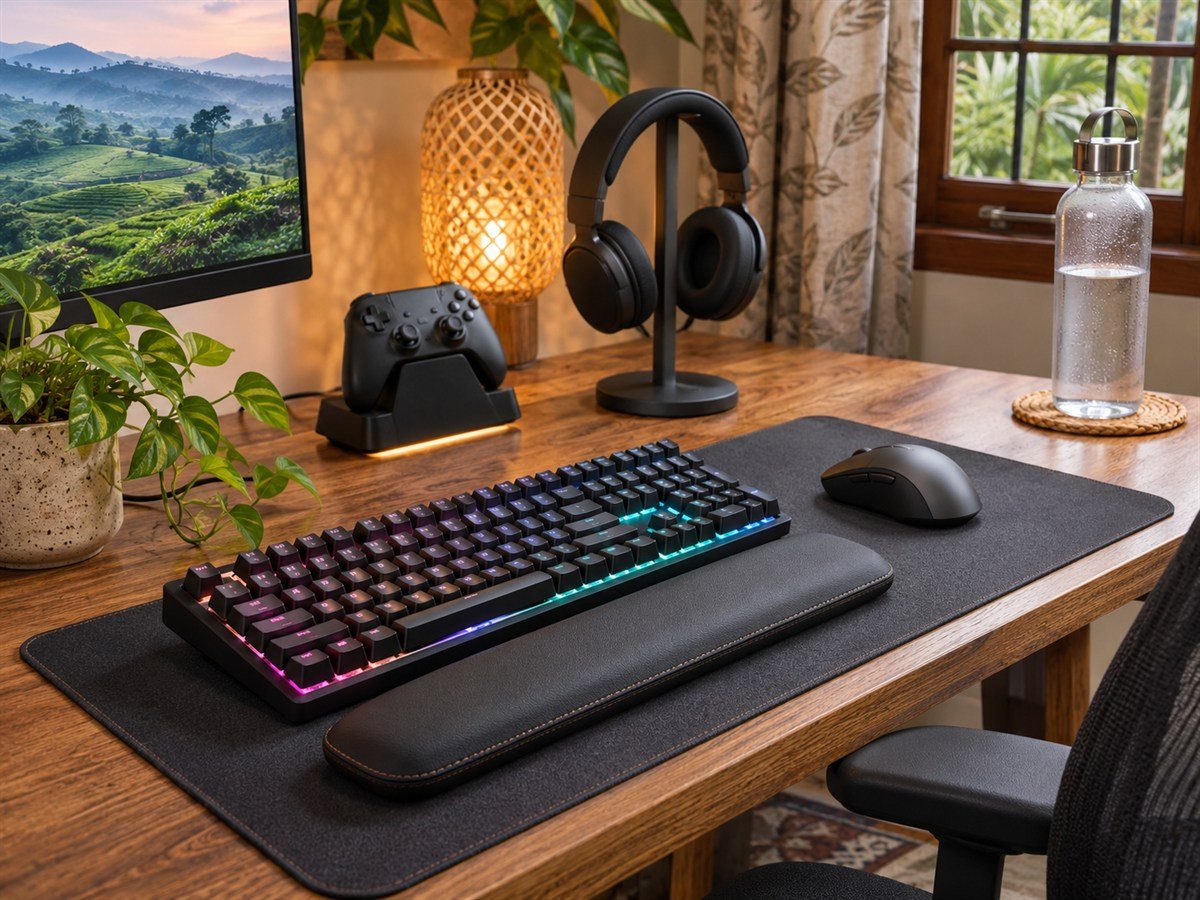
14. Group everyday desk accessories
A desk mat, wrist rest, controller dock and headset stand give frequently used items a clear home. Check that the keyboard and mouse still have enough movement space and that drinks stay safely away from electronics. Small trays can gather memory cards, adapters and other easy-to-lose pieces.
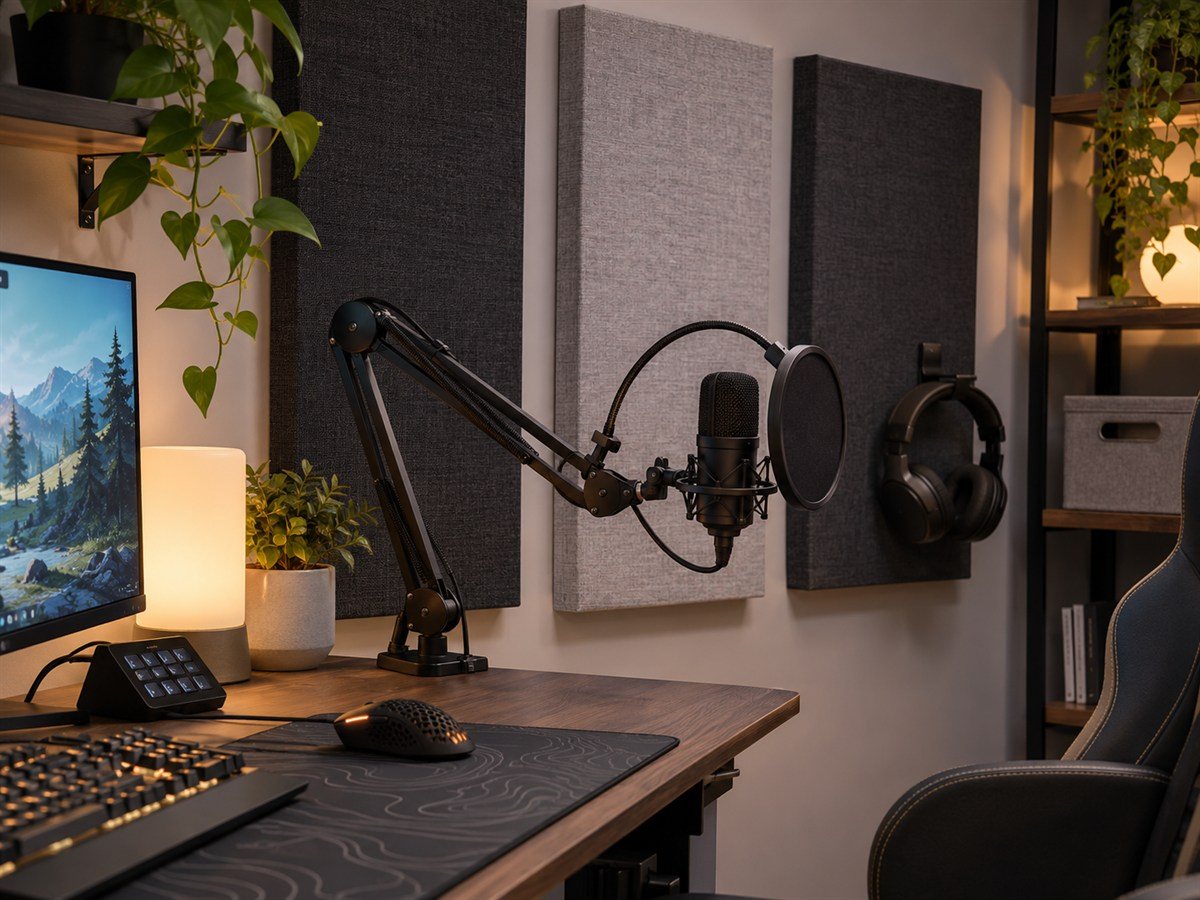
15. Add soft surfaces around a streaming mic
Fabric acoustic panels, curtains and rugs can soften reflections in a room used for voice chat or recording. Position panels thoughtfully and follow suitable wall-mounting guidance. A flexible microphone arm and pop filter help keep the mic close when needed and out of the way when the desk is used for something else.
Plan for your room, not just the photo
Before setting up, measure the desk, chair clearance, door path and power access. In Sri Lanka’s warm climate, keep equipment ventilated and consider how direct sunlight, curtains and room airflow affect the space. For a shared room, plan storage and sound levels alongside the furniture.
Start with the essentials: a desk that fits, a comfortable chair, sensible lighting and a tidy cable route. Then add color, shelves and accessories in stages. A gaming room can look dramatic or understated; what matters is that it feels personal, works for your home and stays comfortable to use.
මෙය ප්රයෝජනවත් වුණාද?
ඔබේ ප්රතිචාරයට ස්තූතියි!
සමාවන්න, එය සාර්ථක නොවුණා. කරුණාකර නැවත උත්සාහ කරන්න.